
Stop Organising Your React App by File Type. Do This Instead
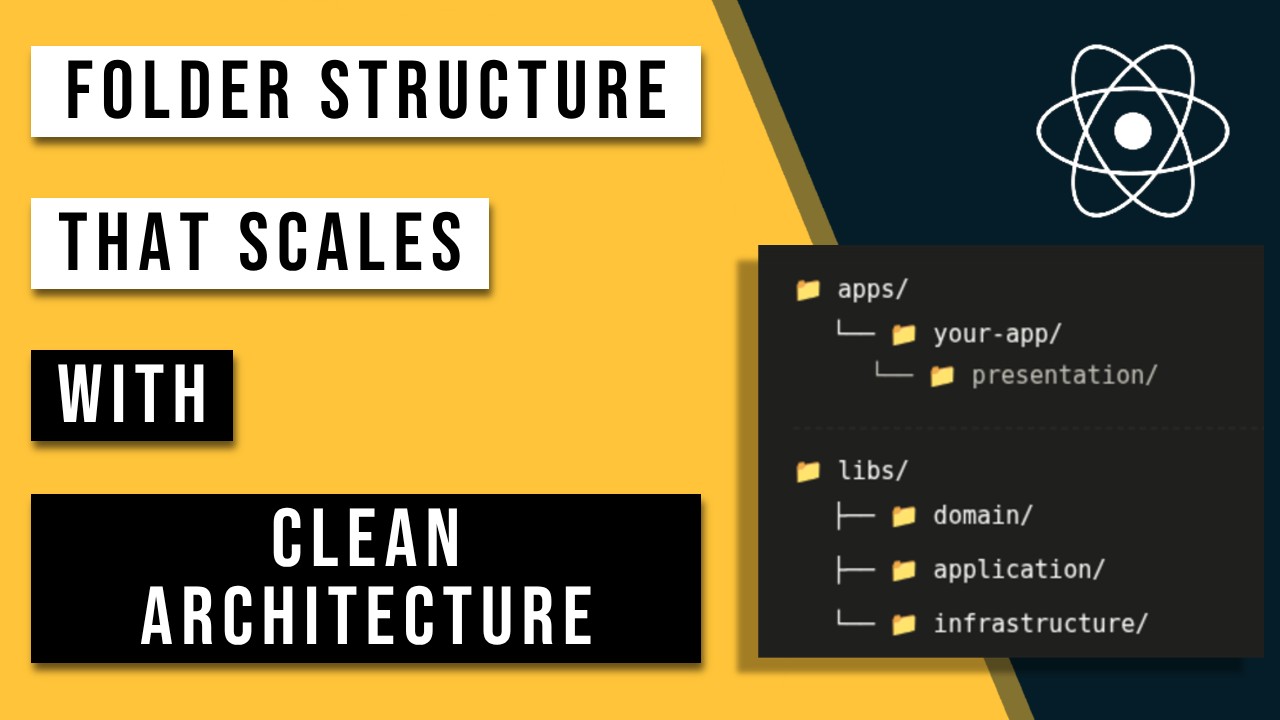
There's a question that comes up whenever I introduce clean architecture to a front-end team:
"Okay, I get the layers — but how do I actually structure the folders?"
It's a fair question. The theory is straightforward. The implementation is where people get stuck, because most front-end projects are organised around the framework, not the domain.
You open a typical React codebase and you see:
src/
├── components/
├── hooks/
├── utils/
└── pages/
That structure tells you nothing about the business. It tells you how it's built, not what it does. You could be building a streaming platform, a CRM, or an e-commerce app — the folders would look exactly the same.
Clean architecture flips that. Open the project and the structure should read like a product spec.
Clean architecture layers, translated to front-end
Clean architecture splits the codebase into four layers: Domain, Application, Infrastructure, and Presentation. Each one has a strict rule about what it's allowed to depend on. The inner layers know nothing about the outer layers. Dependencies always point inward.
How you physically arrange those layers depends on the size of your project and how many applications share your business logic. There are three sensible options.
Option 1: Layers as folders inside your application
If your project is small, or the domain logic won't be shared outside a single app, keep things simple. Four top-level folders, everything in one place.
src/
├── domain/
├── application/
├── infrastructure/
└── presentation/
This is the right starting point for most new projects. You get the architectural separation without the overhead of a monorepo or library setup. When the codebase grows, you can extract layers into libraries later — the folder names stay the same, the move is mechanical.
Option 2: Domain and application as a shared library
This is where it gets interesting, and it's the setup I'd recommend for most product teams past the prototype stage.
The core insight: your domain and application logic almost never belongs to a single page or component. loadProducts might be called from the product catalogue page, a search results page, a related items widget, and an admin dashboard. createOrder might be triggered from the cart, a quick-buy button, and a mobile checkout flow. If that logic lives inside a component tree, you copy-paste it, or you build ad-hoc abstractions that drift over time.
Extracting domain and application into a shared core library solves this at the structural level. Any app, any component, any route can import from core. There's one source of truth for business logic, and it doesn't belong to any single part of the UI.
apps/
├── applicationA/
├── applicationB/
libs/
└── 📁 core/
    ├── 📁 entities/
    │   ├── Product.ts
    │   └── User.ts
    ├── 📁 dto/
    │   └── ProductDTO.ts
    ├── 📁 errors/
    │   └── DomainError.ts
    ├── 📁 rules/
    │   └── product-rules.ts
    ├── 📁 commands/
    │   ├── PublishProductCommand.ts
    │   ├── CreateOrderCommand.ts
    │   └── DeleteProductCommand.ts
    ├── 📁 queries/
    │   ├── GetProductCatalogQuery.ts
    │   └── GetProductByIdQuery.ts
    ├── 📁 services/
    │   ├── ProductsService.ts
    │   └── OrdersService.ts
    ├── 📁 mappers/
    │   └── ProductMapper.ts
    └── 📁 boundaries/
        ├── IMetricsService.ts
        ├── IProductsAPIService.ts
        └── IOrdersAPIService.ts
This is the version I'd reach for when: you have more than one app sharing business logic, you're working in a Nx or Turborepo monorepo, or your domain is complex enough that scattering rules across component hooks would be a liability.
Option 3: All layers as separate libraries
If your project is large, and you're confident you'll be sharing each layer independently across multiple teams or apps, go further and split every layer into its own library.
apps/
├── applicationA/
├── applicationB/
libs/
├── domain/
├── application/
└── infrastructure/
This gives you maximum isolation. The domain library has zero knowledge of React, the application library, or the infrastructure. The infrastructure library can be swapped out entirely without touching application logic. Each library can have its own versioning, its own test suite, its own owners.
The tradeoff is overhead. Three libraries means three packages to maintain, three dependency graphs to manage, more explicit import paths everywhere. For most teams, Option 2 hits the right balance. Option 3 is for platform teams working at scale, or projects where the domain genuinely needs to run in multiple runtimes (web, CLI, server).
The four layers
Whichever option you choose, the layers themselves work the same way.
Domain
The core. It defines what your application is — the entities, the types, the rules that govern your business logic.
Nothing in this layer imports from outside it. No React, no fetch, no third-party library. If you extracted just this folder and opened it in isolation, it should make sense on its own.
📁 domain/
├── 📁 entities/
│   ├── Product.ts
│   └── User.ts
├── 📁 dto/
│   └── ProductDTO.ts
├── 📁 errors/
│   └── DomainError.ts
└── 📁 rules/
└── product-rules.ts- Entities — the main objects of your business.
Product,User,Order. - DTOs — data transfer objects that describe the structure used when communicating between services and APIs. No business logic.
- Rules — pure functions that encode business logic.
canPublish(product),isEligibleForDiscount(user). - Errors — domain-specific error types.
// domain/entities/Product.ts
export type ProductStatus = 'draft' | 'published' | 'archived';

export interface Product {
  id: string;
  name: string;
  status: ProductStatus;
  price: number;
  stock: number;
}

// domain/rules/product-rules.ts
import type { Product } from '../entities/Product';

export function isAvailableForPurchase(product: Product): boolean {
  return product.status === 'published' && product.stock > 0;
}

export function canBePublished(product: Product): boolean {
  return product.status === 'draft' && product.price > 0;
}
No framework. No library. Pure TypeScript functions that are trivial to test.
Application
What your app does. Use cases. The operations a user or system can perform.
Split into commands (writes) and queries (reads). Each use case gets its own file. Each file has one job.
📁 application/
├── 📁 commands/
│   ├── PublishProductCommand.ts
│   ├── CreateOrderCommand.ts
│   └── DeleteProductCommand.ts
├── 📁 queries/
│   ├── GetProductCatalogQuery.ts
│   └── GetProductByIdQuery.ts
├── 📁 services/
│   ├── ProductsService.ts
│   └── OrdersService.ts
├── 📁 mappers/
│   └── ProductMapper.ts
└── 📁 boundaries/
    ├── IMetricsService.ts
    ├── IProductsAPIService.ts
└── IOrdersAPIService.ts- Commands — write operations. Take input, apply domain rules, call a service to persist the result.
- Queries — read operations. Fetch and return data, often shaped for the UI.
- Services — application services that handle coordinated logic.
OrdersServicemight orchestrate creating an order, reserving stock, and firing an analytics event. - Mappers — transformations between API response DTOs and domain types.
- Boundaries — interfaces for things the application needs but doesn't implement. Repositories, external services, analytics. The application layer never imports from infrastructure. It imports an interface and expects something outside to fulfill it.
Infrastructure
The how. Real implementations behind the interfaces defined in the application boundaries.
📁 infrastructure/
├── 📁 services/
│   ├── ProductsApiService.ts
│   ├── ProductsLocalStorageService.ts
│   ├── DateUtilsService.ts
│   └── AnalyticsService.ts
└── container.ts
// infrastructure/services/ProductsAPIService.ts
import type { IProductsAPIService } from '../../application/boundaries/IProductsAPIService';
import type { Product } from '../../domain/entities/Product';
export class ProductsAPIService implements IProductsAPIService {
async fetchById(id: string): Promise<Product | null> {
const res = await fetch(`/api/products/${id}`);
if (!res.ok) throw new ProductNotFoundError(id);
return res.json();
}
async fetchAll(): Promise<Product[]> {
const res = await fetch('/api/products');
return res.json();
}
}When you migrate from REST to GraphQL, you write a ProductsGraphQLService that implements the same IProductsAPIService interface. Everything above this layer stays untouched.
container.ts is where you wire interfaces to implementations — the dependency injection setup that connects all layers together.
Presentation
React lives here. Components, hooks, routing, UI state. This layer consumes the application layer and renders the result.
📁 presentation/
├── 📁 components/
│   ├── ProductCard.tsx
│   └── ProductList.tsx
├── 📁 hooks/
│   ├── useProduct.ts
│   └── usePublishProduct.ts
├── 📁 pages/
│   └── ProductsPage.tsx
└── 📁 providers/
└── ContainerProvider.tsx- Components — UI only. Receive data, emit events. No business logic.
- Hooks — thin bridges between React and the application layer.
- Pages — route-level components that compose hooks and components.
- Providers — context setup, including injecting the container.
// presentation/hooks/useProduct.ts
import { useQuery } from '@tanstack/react-query';
import { GetProductByIdQuery } from '../../application/queries/GetProductByIdQuery';
import { container } from '../../di-container';

export function useProduct(id: string) {
  return useQuery({
    queryKey: ['product', id],
    queryFn: () => new GetProductByIdQuery(container.productRepository).execute(id),
  });
}
// presentation/components/ProductCard.tsx
export function ProductCard({ id }: { id: string }) {
const { useProduct, isAvailableForPurchase } = useInjection(container);
const { data: product, isLoading } = useProduct(id);
return (
<div>
<h2>{product.name}</h2>
<p>£{product.price}</p>
<p>{isAvailableForPurchase(product) ? 'Available' : 'Not available'}</p>
</div>
);
}Notice isAvailableForPurchase comes from domain rules. Business logic stays in the domain even when rendered inside a component.
Which option should you pick?
Option 1 if you're building a single app and aren't certain the project will grow significantly. Start here, extract later if needed.
Option 2 if you have multiple apps, multiple routes reusing the same business operations, or a domain complex enough that you want one authoritative place for logic. This is the sweet spot for most product teams.
Option 3 if you're working at scale with separate teams owning separate layers, or you need the domain to run in multiple runtimes.
The folder names don't matter as much as the dependency rule. Keep the inner layers clean, give the business logic a home that isn't a React component, and the rest follows.
Next: wiring this with React context for dependency injection, and how it plays with TanStack Query for the full data layer.
Last updated on Tue Jun 02 2026